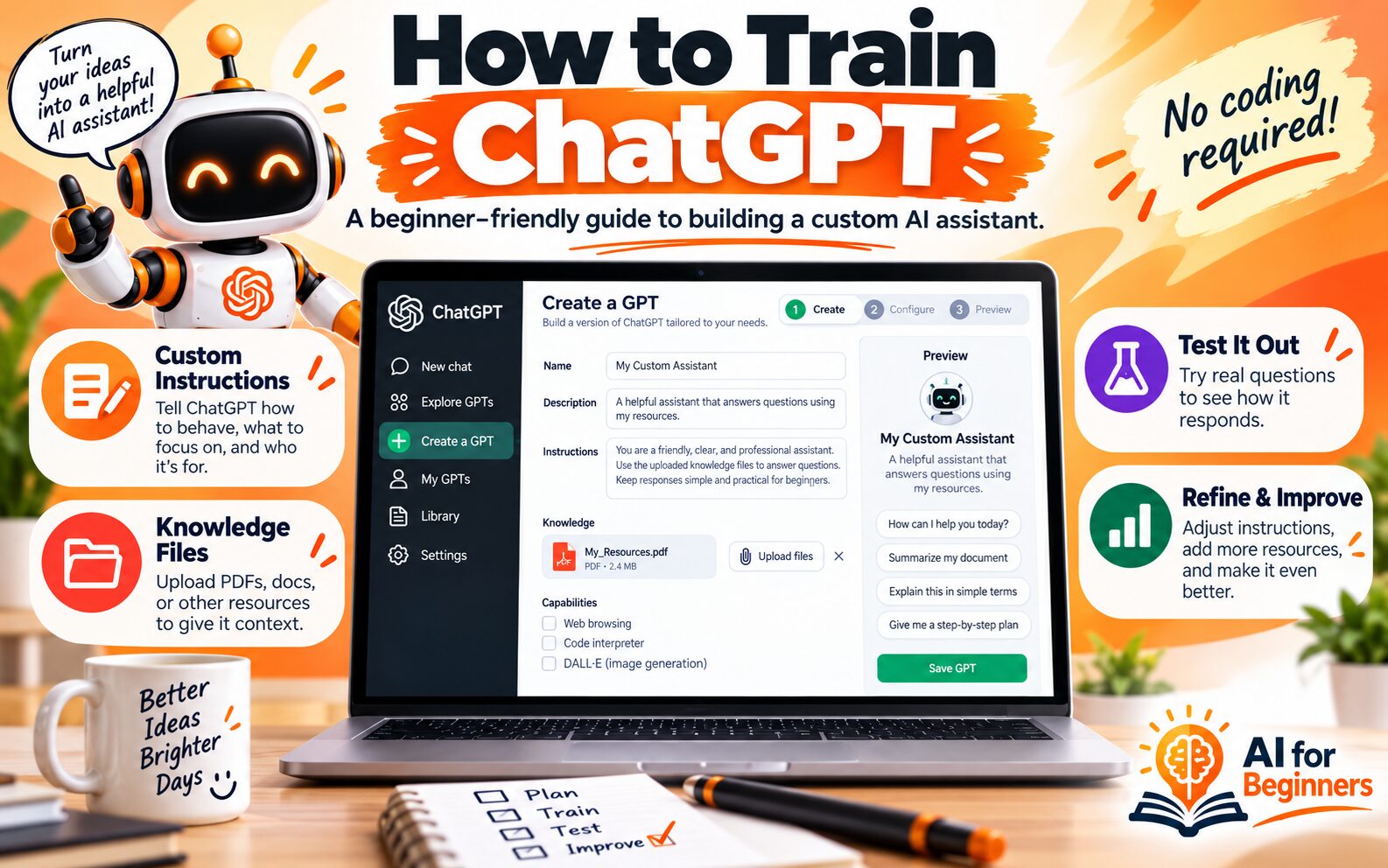
Here is why I recommend you learn how to train ChatGPT. The first time I opened ChatGPT, I typed in a question, got a polished answer back, and thought: this thing is smart, but it has no idea who I am. It felt like hiring a brilliant new employee who had read every book in the library and had never once set foot in my office.
That feeling is normal, and the fix is simpler than most people expect. You do not need a computer science degree, a team of engineers, or a single line of code. Learning how to train ChatGPT as a beginner really means teaching one assistant about your world: your work, your tone, your rules, and the material you want it to use. You are not rebuilding the engine. You are giving the driver better directions.
What “training ChatGPT” actually means for a beginner
OpenAI develops the foundation models behind ChatGPT through several stages, including preparing training data, pre-training, and post-training. That work happens on a scale almost none of us will ever touch, and it is not the kind of training you do from your kitchen table.
What you can do is customize the assistant on top of that foundation. You give it a role, a set of instructions, and your own reference material so its answers sound like they came from someone who works with you rather than a stranger reading from a script.
Think of it this way. Rewriting a textbook is a publisher’s job. Writing a job description for your new assistant is yours, and that job description is where nearly all the value lives.
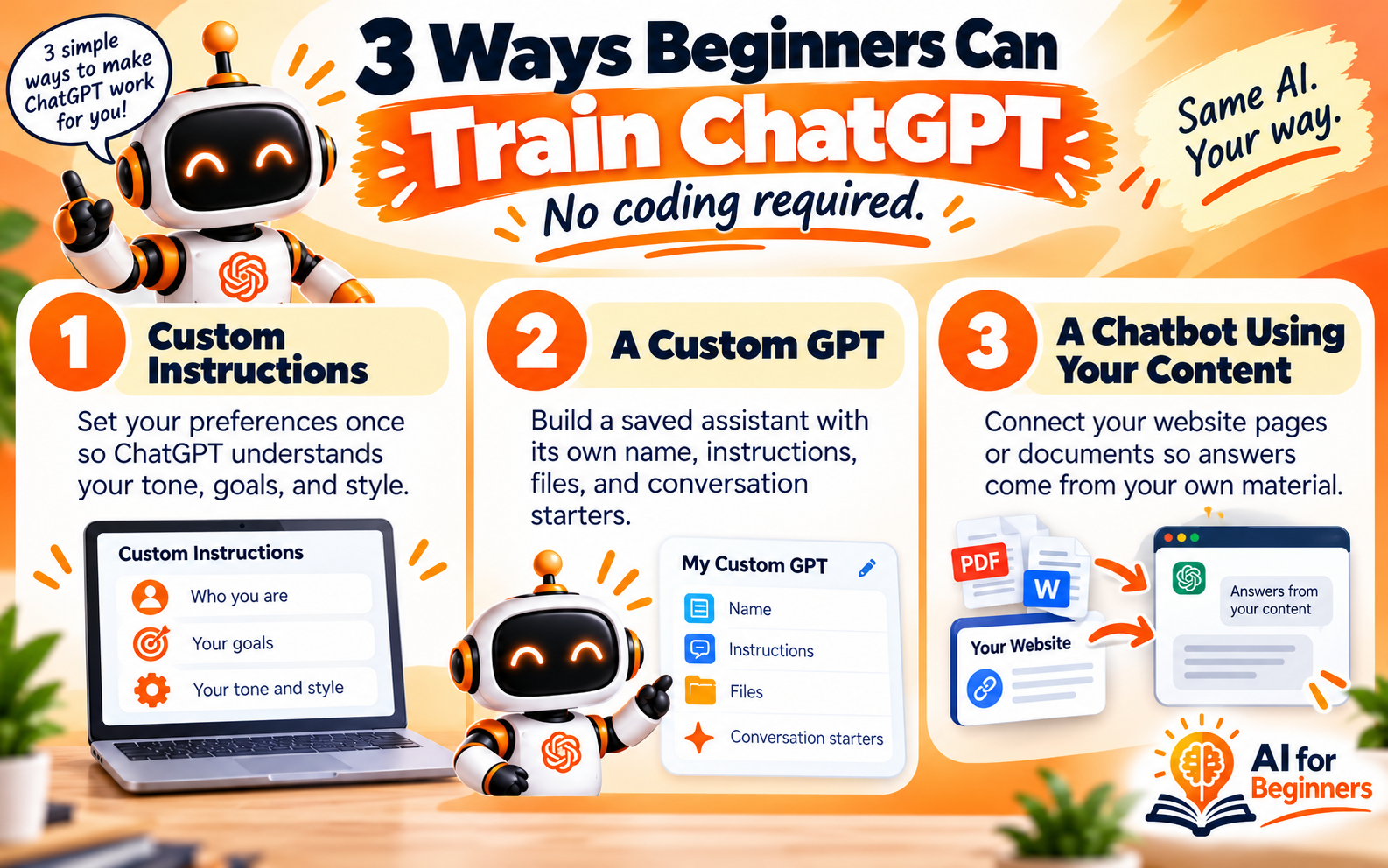
Three ways beginners can train ChatGPT, no coding required
Custom instructions and saved preferences
This is the easiest starting point and takes a few minutes. You tell ChatGPT who you are, what you do, and how you like your answers. Something like “I run a small business, explain things in plain language, and skip the corporate jargon” changes the tone of every conversation that follows. Set it once and it keeps working in the background.
A Custom GPT built for one specific job
A Custom GPT is a saved version of ChatGPT with its own name, instructions, knowledge files, and conversation starters. Instead of re-explaining your needs every morning, you open the assistant you already trained and get straight to work. This is the option most beginners should aim for first, because it feels like owning a tool rather than borrowing one.
A chatbot connected to your own content
If you want an assistant that answers questions from your website or knowledge base, tools now exist that let you add your page links or documents and connect your own API key. Setup guides for these tools describe the process as a handful of clicks, with training content handled through those URLs rather than code. This option suits people who want visitors or teammates to get answers grounded in their own material.
Step-by-step: build your first Custom GPT in one sitting
-
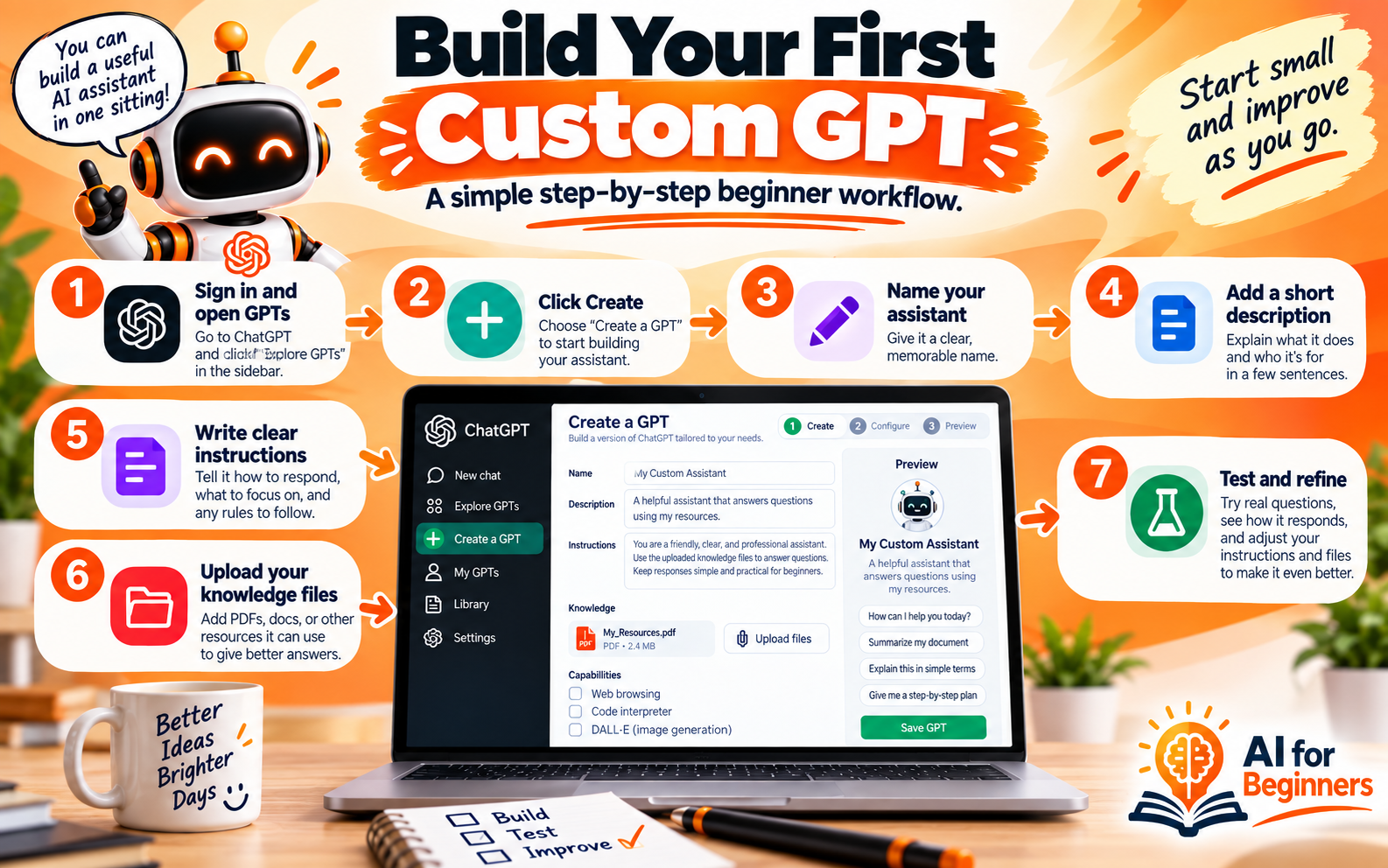
Sign in to ChatGPT and open the GPTs area. You can go directly to chatgpt.com/gpts, or open the menu in the top left and choose GPTs.
-
Click Create in the top right corner.
-
Give your assistant a plain, human name. “Client Email Helper” beats “AI Synergy Engine” every time.
-
Write one sentence in the description field explaining what it does.
-
Fill in the instructions box. If the blank page makes you freeze, see the shortcut below.
-
Add knowledge by uploading the files you want it to reference, such as your FAQs, service list, or style notes.
-
Add a few conversation starters so you and others know how to begin.
-
Save it, then open it and ask five real questions you would actually ask on a busy day.
-
Read the answers carefully and edit the instructions where the assistant missed the mark.
Let ChatGPT write its own instructions
Here is the trick that saves the most time. In a normal chat, describe what you are trying to achieve and ask ChatGPT to write the prompt for you. Then test its interpretation by asking questions and watching how it responds. If the answers drift, paste the revised version back into your Custom GPT. You end up with instructions written in the same language the model understands, without needing to learn any special phrasing.
How to write instructions that stick
Vague instructions produce vague assistants. Cover these six things and your results improve immediately.
-
Role: who the assistant is and what it specializes in.
-
Audience: who will read or receive the output.
-
Tone: warm, direct, formal, casual, brief.
-
Format: bullet points, short paragraphs, a table, a fixed structure.
-
Boundaries: what it should never do, guess at, or invent.
-
Examples: one sample of a great answer so it has something to imitate.
A workable instruction might read: “You help me draft replies to customer questions. Keep answers under 150 words, use a friendly and plain tone, never promise a delivery date, and ask me for missing details instead of guessing.” That single paragraph does more for quality than any technical setting.
Feeding your assistant your own knowledge
When you add your documents, three habits protect you from messy results. Choose your sources narrowly, so the assistant is not drowning in unrelated files. Clean the content before you use it, because outdated pages and half-finished notes get repeated back to you as if they were facts. And decide who needs access, especially if the material includes anything private.
Uploaded knowledge is also where beginners see the biggest jump in usefulness. An assistant that has your price list, your process notes, and your preferred phrasing suddenly sounds like it has worked with you for years.
Test it like a real user, then tighten
Training is a loop, not a one-time event. Ask the same three or four questions each time you make a change, so you can tell whether the answers actually improved. Watch especially for confident statements that are not supported by your documents. When you spot one, add a boundary line to the instructions such as “if the answer is not in my files, say so and ask me.”
Keep a short list of fixes as you go. Ten minutes of tweaking after a week of real use is usually worth more than an hour of guessing up front.
Five mistakes beginners make
-
Writing instructions so broad that the assistant has no clear job.
-
Uploading an entire folder instead of the few files that matter.
-
Expecting perfect answers on the first attempt instead of refining.
-
Forgetting to define what the assistant should refuse to do.
-
Sharing sensitive details without checking your own rules or the tool’s documentation first.
None of these are fatal. Each one is a small adjustment, and the adjustments add up fast.
Frequently Asked Questions
Can I train ChatGPT if I have no technical background?
Yes. The beginner path is customization rather than model building. You write instructions, upload your own reference files, and build a Custom GPT through menus and text boxes. If you can fill out an online form and describe what you want in plain English, you can train an assistant. Coding only enters the picture for advanced integrations you can safely ignore at the start.
How long does it take to train ChatGPT?
You can create and test your first Custom GPT in a single sitting. Most of that time goes into writing clear instructions and choosing the right files, not into the tool itself. After that, expect an ongoing loop of small refinements as you notice gaps. There is no fixed schedule, because the amount of work depends on how specific your assistant needs to be.
Can I train ChatGPT on my own documents?
You can. Upload reference files to a Custom GPT so it draws on your material, or use a chatbot tool that connects to your website links and knowledge base. In both cases, the assistant works from the content you provide. Keep those documents current, since outdated pages and rough notes will shape the answers just as much as good ones do.
What should I avoid putting into ChatGPT?
Treat anything you would not want stored or reused with caution. That includes personal details about other people, confidential business information, and material covered by an agreement you have signed. Check OpenAI’s own documentation and your organization’s policy before sharing sensitive content, and keep a habit of uploading only what your assistant genuinely needs.
Start with one small assistant and one clear job. Name it, describe what it does, give it a few of your own documents, and ask it five real questions today. Then fix what it got wrong. That loop is the whole skill, and it belongs to beginners just as much as to experts.